Battle.net
What is Battle.net — and What 2.49.5.15956 Represented
Battle.net is the main desktop launcher/app from Blizzard Entertainment that lets you install, launch, update, and manage all Blizzard (and other supported) games from a single hub.
The 2.49.5.15956 build — listed among past versions in archives — corresponds to an older generation of the downloader/launcher.
At the time, Battle.net provided features such as:
- Single-sign-on: log in once, access all your Blizzard games and stay logged in (optionally for up to 30 days).
- Centralized game installation, patching, updates and library management.
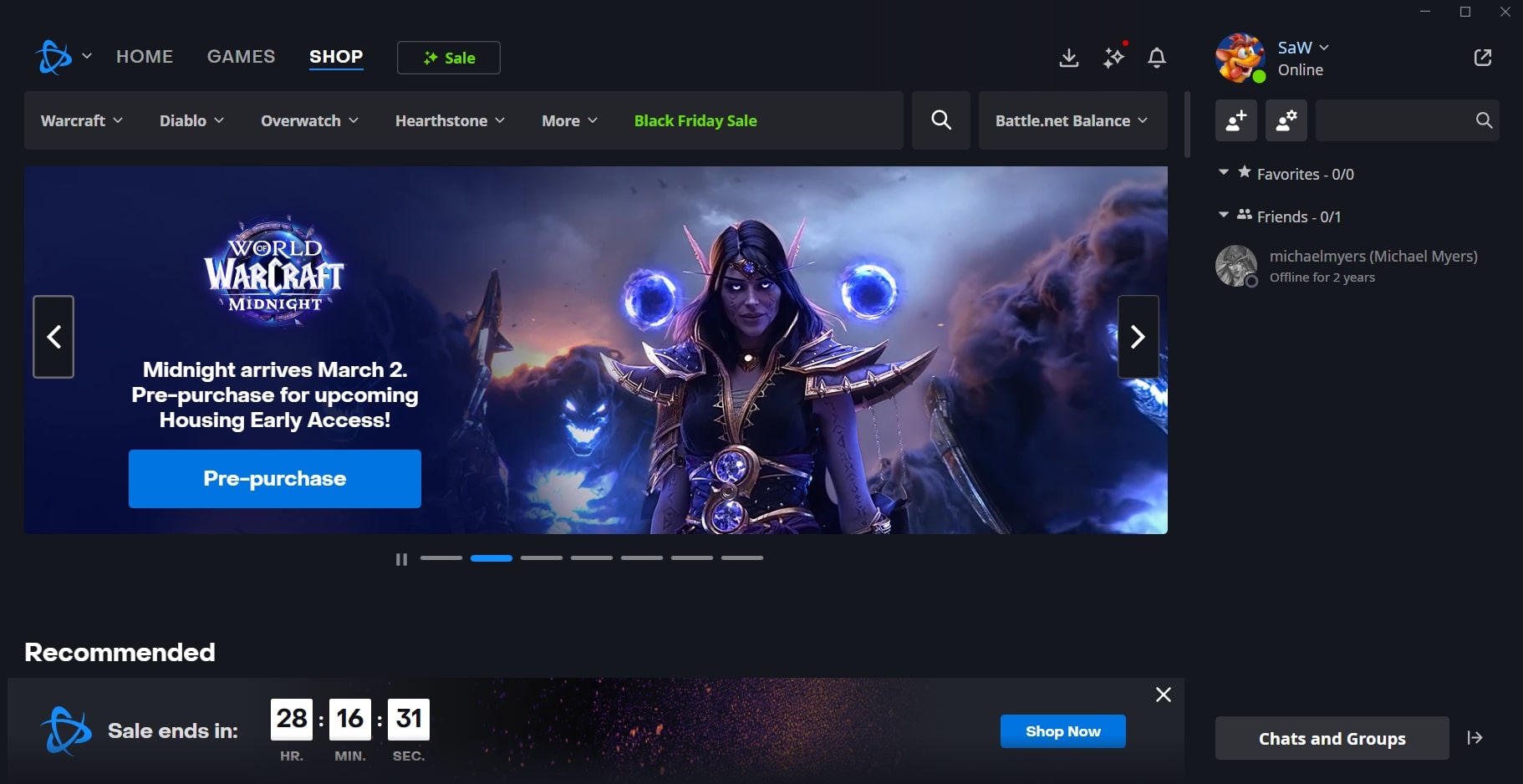
- In-app news feed — game news, patch notes, promotions, announcements — for your titles, reducing the need to visit multiple websites.
In short: Battle.net was the one-stop launcher for Blizzard games, offering convenience and unified management of games, updates, friends/social features, and news.
What Worked Well (Strengths & Value)
For many users, particularly with supported and stable systems, Battle.net offered substantial advantages:
- Unified Platform: Instead of managing dozens of separate installers or executables, everything is handled through a single launcher. Clean library, easy updates, clear interface.
- Automatic Updates / Background Patching: As long as the app runs, it can manage and apply patches or game updates — freeing the user from manually tracking versions.
- Login Convenience + Account Integration: Single login for all Blizzard games; features like friends list, chat, social connectivity integrated into the app made it easier to stay connected with friends across games.
- Access to Official Game Store & News: Ability to browse the store (buy games, DLCs, in-game items) and to stay updated via news feed, announcements, patch notes — all centralized.
For users with stable Windows installs (or supported OSes), Battle.net offered a smooth, “everything in one place” experience that matched what modern gamers expect from a game platform.
Problems, Complaints & Limitations (as Reported by Users)
Despite its strengths, many users — especially those on non-standard or older systems, or using alternative OSes (e.g. Linux via wrappers) — faced recurring issues with Battle.net 2.49.5.15956 and later / related versions:
- Launcher update / “agent” errors: Some installations repeatedly failed to update properly. A frequent error is the “update agent” getting stuck or not launching. This can prevent the launcher (and thus games) from starting.
- Auto-update + forced patches: Some players reported that the launcher would attempt to auto-update every time it ran, even when no new patch was needed — which is problematic for people with limited data or slow internet.
- Shortcut/Version-mismatch pop-ups: Even when users had what they believed was the correct version, they sometimes received messages warning that they were attempting to launch an “outdated” version, forcing repeated re-downloads or manual fixes.
- Compatibility issues outside Windows / on Linux, Wine, Proton, non-official setups: Players trying to run Battle.net through Linux wrappers or on alternative environments often reported installation failures, launcher hanging (e.g. stuck loading, blank screen, or update-agent freeze), and problems launching games.
- Persistent bugs for some users: For example, some say after updates the launcher “does nothing” — reinstalling doesn’t fix it; others say the launcher repeatedly prompts updates or fails to launch games even when games themselves are intact.
So, for users with standard Windows setups and stable internet, Battle.net often “just works.” For people on less typical systems — or for whom launcher stability is critical — the experience could be frustrating.
Who Should Use Battle.net 2.49.5.15956 (or Similar Versions) — And Who Should Be Cautious
Good candidate users:
- Gamers on modern Windows machines using official, supported system setups.
- Users who like a centralized launcher for multiple games, want convenient updates, game library management, store access, social features, and ongoing support.
- Players who don’t mind automatic updates or have stable, generous internet/data plans.
Use with caution / avoid if:
- You run non-Windows OS (Linux, macOS via Wine/wrapper, etc.) — you may face installation/launcher issues or bugs.
- Your internet or data plan is limited — repeated auto-updates or patch downloads might be costly.
- You rely on stable environment for competitive or regular gaming — launcher bugs or update failures can block access to games even if the game data itself is intact.
- You prefer manual control over updates or want to avoid forced patch cycles — auto-update behavior can be intrusive.
What’s Changed Since 2.49.5.15956 — The Modern Era of Battle.net
It’s worth noting that the ecosystem has evolved since version 2.49.5.15956. In recent years, Blizzard has been transitioning to a newer unified desktop app — consolidating older individual game launchers under one roof.
Newer versions of the app emphasize:
- Single sign-on for all games — one login works for every Blizzard (and supported) title.
- In-app social features: friends list, chat, group management, easier access to social/connectivity tools.
- Background patching / auto-updates, library management, integrated store — consolidating user experience across games.
- A more modern UI, improved launcher performance and frequent updates to keep compatibility with newer OS versions.
For many users, upgrading to the latest version of the desktop app offers smoother, more stable experience — though legacy issues can persist depending on system setup.
Note: Tools files may be marked as malicious by antivirus. Be sure to check the file before downloading.
Comments & Ask Questions
Comments and Question
There are no comments yet. Be the first to comment!